I recently worked on a project that uses lot of excel files of same format. Those files are located in a local folder and my task is to upload all data into a table. It is not a one time task to complete this task using Import and Export wizard. So, I decided to design a SSIS package to handle this task for now and later.
Implementation:
I have a folder named ExcelFiles\ that contains my excel files. I am going to design a package with for each loop to iterate files in that directory and pass the file name to the excel connection string.
Excel file used in this example : Sample1.xlsx
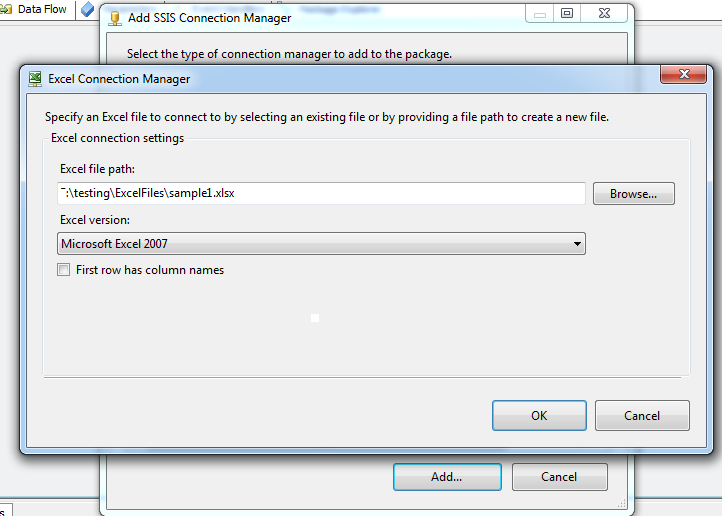
Step 1: Create a package with an Excel connection and connect to the sample1 excel file.
 Step 2: Declare a variable “ExcelFileName” as string and Assign static value to the package variable. This value should be sample1.xlsx file name with full path.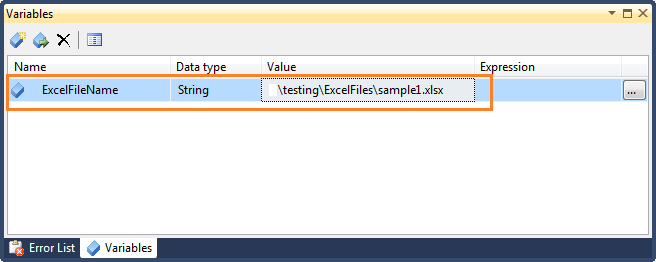
Step 4: Add For each loop container and configure the task as given below.
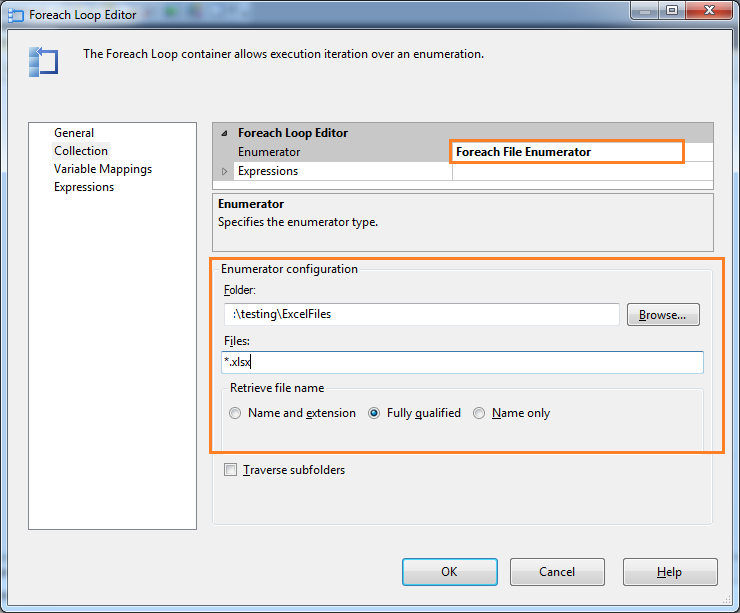
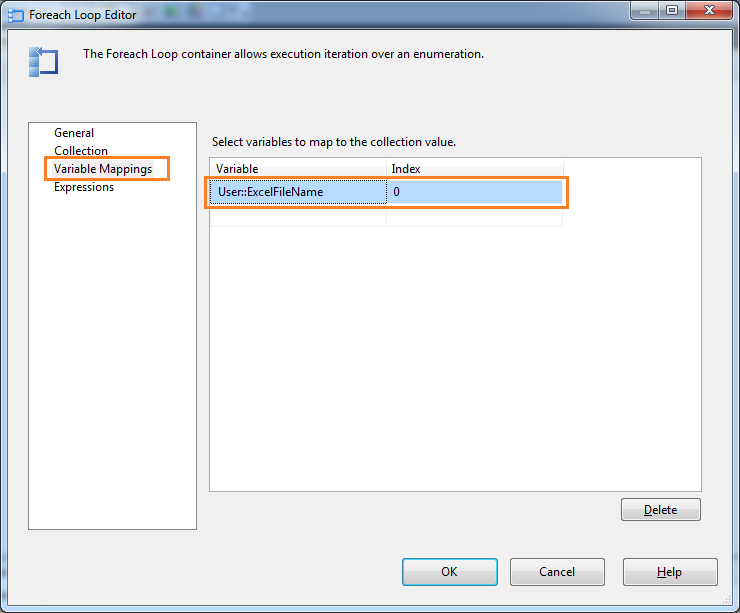
Variable Mapping: assign fully qualified file name of the Foreach Loop container value to the package variable.
 Step 3: Configure Excel Connection Manager property to pass dynamic file name to excel connection string during run-time.
a. We have to set the DelayValidation property to true. This will tell the package loader not to validate the connection or file availability.
b. Set the ExcelFilePath property with package variable in the expression property.

Step 5: Add Data flow task in to the Foreach loop container
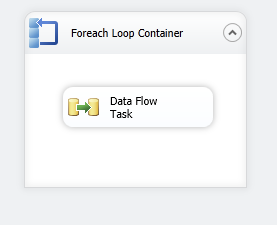 Now, Go to Data Flow design interface then Add Excel source , OLE DB destination task and connect them together for data upload.
Add Excel Source task:
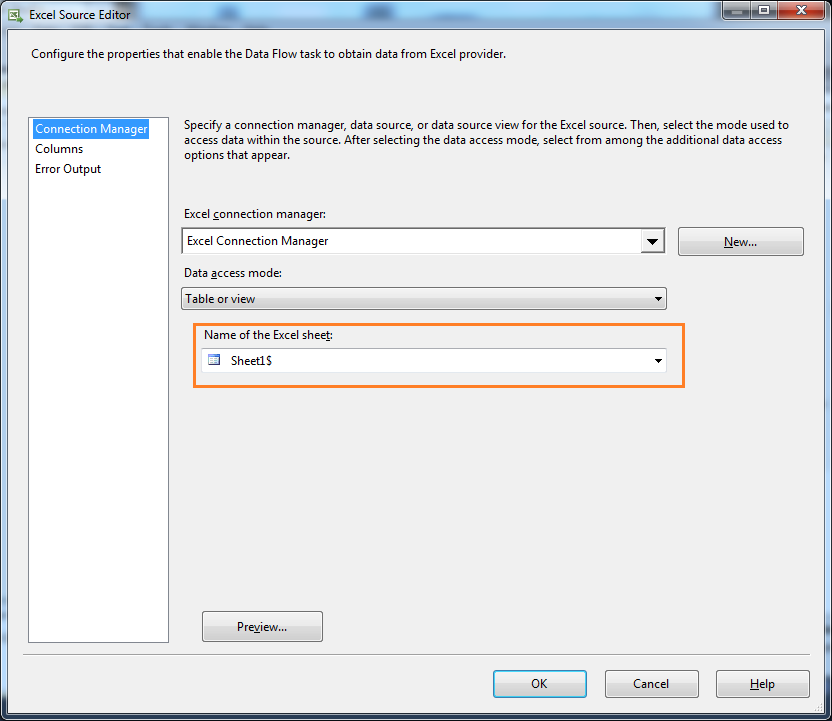
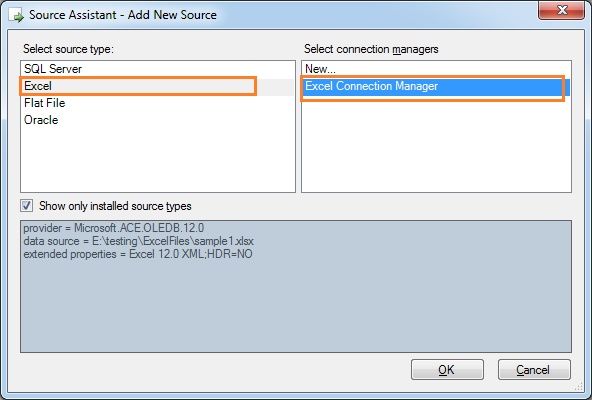 Configure Excel Source:
1. Select sheet name for excel data source
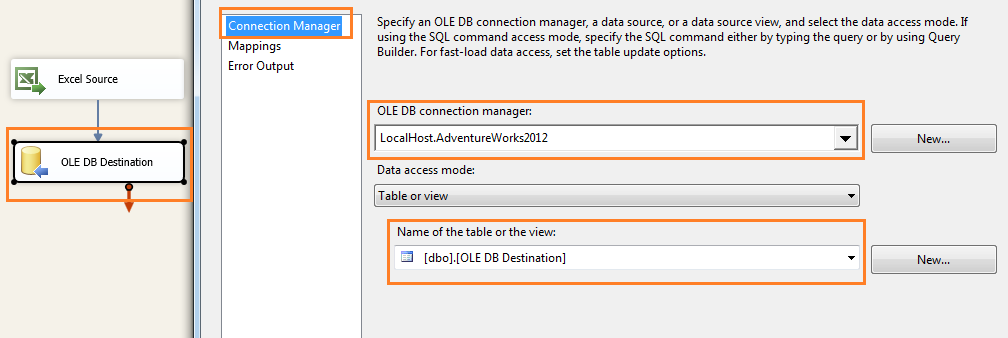
 2. Add OLE DB Destination and connect to a database where you want to store the excel data. I have used AdventureWorks2012 database to store data in a dummy table.
 Step 6: Set DelayValidation property of Data Flow task to True. This will avoid validation package loading/validation error. Because, we are using expression for excel source connection.
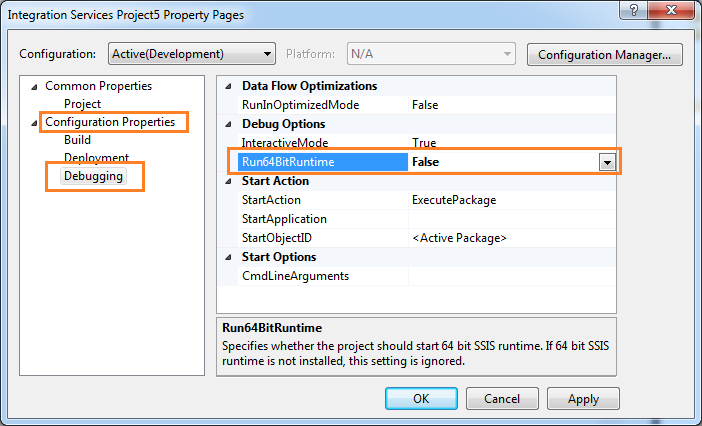
Step 7: Set the package execution mode to 32 bit.
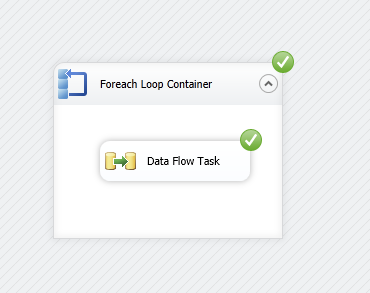
Step 8: We have completed our package design. Now, Execute the package.
 If you have any questions, please write in the comment section.

No comments:
Post a Comment